AI Video Editing: Best AI Video Editor Tools for Creators and Filmmakers
Creating professional-quality videos no longer requires hours of manual editing or advanced technical skills. Thanks to AI video editing, creators can automate repetitive tasks, improve production quality, and focus more on storytelling.
From trimming clips and generating captions to enhancing audio and suggesting edits, AI-powered tools are reshaping how videos are produced. Whether you're a beginner, a content creator, or an independent filmmaker, understanding these technologies can help you work smarter without sacrificing creativity.
This article explains how AI editing works, what features matter most, and how to choose the best AI video editor for your projects with confidence.
Quick Overview
|
Key Takeaway |
Why It Matters |
|
AI speeds up editing |
Automates repetitive tasks like trimming and captions. |
|
Smart features improve quality |
AI enhances audio, visuals, and workflow efficiency. |
|
Generative AI expands creativity |
Creates visuals, voices, and video elements from prompts. |
|
Human creativity remains essential |
AI supports editing but doesn't replace storytelling. |
What Is AI Video Editing and How Does It Work?
AI video editing uses machine learning to analyze footage and automate editing tasks that traditionally required manual effort.
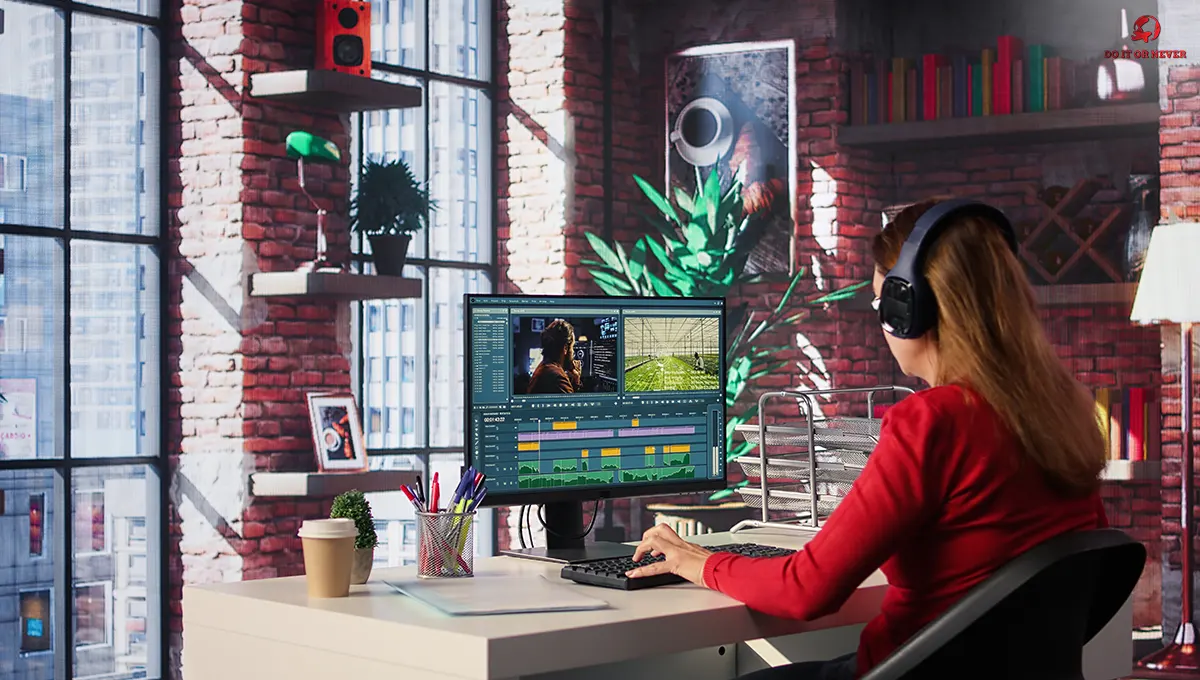
Modern AI tools recognize scenes, detect silent pauses, generate subtitles, improve audio quality, stabilize shaky footage, and even recommend transitions.
Unlike traditional editing software that depends entirely on user input, AI acts as an intelligent assistant that speeds up repetitive work while leaving creative decisions in your hands.
For example, editing a 30-minute interview into a polished three-minute highlight reel once required hours of work. Today, AI can identify the most engaging moments, remove unnecessary pauses, and create captions within minutes. Many creative learning platforms, including Domestika, also highlight how AI-powered workflows can complement traditional editing skills rather than replace them.
Which Editing Tasks Can AI Handle Best?
AI performs exceptionally well when handling repetitive editing tasks that consume valuable production time. Common capabilities include:
- Automatic video trimming
- Silence and filler-word removal
- AI-generated captions
- Background noise reduction
- Smart color enhancement
- Social media aspect ratio conversion
- Highlight detection
- Music and transition suggestions
These features allow creators to publish videos more efficiently while maintaining consistency across platforms.
For example, a creator producing content for YouTube, short-form videos, and online courses can edit one master video and quickly generate multiple versions using AI automation. Instead of replacing editors, AI helps them spend more time refining storytelling and visual quality.
Generative AI Video vs. Traditional AI Editing
Many people confuse generative AI video with AI editing, but they serve different purposes. AI editing improves existing footage by automating editing tasks, while generative AI creates entirely new content using text prompts, images, or voice instructions.
|
AI Editing |
Generative AI Video |
|
Enhances existing footage |
Creates new video content |
|
Removes silence |
Generates scenes |
|
Adds captions |
Creates AI avatars |
|
Improves audio |
Produces synthetic voices |
Both technologies can work together in modern production workflows. AI may generate visuals or voiceovers, while editing software refines the final project into a polished video.
How to Choose the Best AI Video Editor
Finding the best AI video editor depends on your creative goals rather than the number of available features. Consider these factors before choosing a platform:
- Easy-to-use interface
- Accurate AI automation
- High-quality exports
- Collaboration options
- Cloud or desktop workflow
- Privacy and data security
- Flexible pricing
- Support for multiple video formats
Beginners often benefit from intuitive interfaces with automatic editing suggestions, while professionals usually prioritize advanced customization and export quality.
Before subscribing, test the software using sample footage to evaluate how accurately it understands your editing style. Educational communities such as Domestika also encourage combining AI tools with strong editing fundamentals for consistently better results.
How AI Is Transforming Filmmaking
Modern AI filmmaking extends beyond editing.
AI now supports script brainstorming, storyboarding, pre-visualization, voice cleanup, color matching, and post-production organization. Independent filmmakers can produce higher-quality content with fewer resources by automating technical tasks while focusing on creative direction.
AI also improves collaboration by organizing large media libraries and simplifying review workflows. Rather than replacing filmmakers, these technologies remove production bottlenecks, allowing creative teams to spend more time crafting compelling stories and memorable visuals.
Limitations You Should Know
Although AI dramatically improves efficiency, it still has limitations.
Automated edits may miss emotional storytelling cues, creative pacing, or subtle visual decisions. AI-generated captions occasionally require correction, and generated content should always be reviewed before publishing.
Privacy is another consideration when uploading sensitive footage to cloud-based platforms. The best results come from combining AI automation with thoughtful human creativity.
Conclusion
AI video editing has become an essential part of modern content creation, helping creators and filmmakers produce professional results in less time.
From automating repetitive edits to supporting generative AI video workflows and enhancing production quality, AI continues to reshape creative processes without replacing human imagination. Choosing the best AI video editor comes down to your goals, workflow, and preferred features.
As you build your editing skills, resources like Domestika can complement AI-powered tools with practical creative learning. Start experimenting today, refine your workflow, and let AI help you create videos that truly capture your audience's attention.